One person, a whole series.
Run a YouTube channel, a Shorts feed or a Skool community on recurring characters, and spend your evenings on the story instead of re-prompting faces.
Chomper is the Mac app for making films and series on your own AI accounts, built around all three.
Chomper doesn't sell AI. It runs on the accounts you plug in:
01Consistency
The hard part of AI video is making shot 40 look like shot 1. Save the look, the cast, the places and a voice for each character once. Every clip and line then starts from those references, not from a fresh prompt.




Four shots from one episode of Book of Gongs. Four different models. Bodu and Taro stay Bodu and Taro.
Reference sheets and a voice each, sent with every shot they appear in. Models differ in what they accept, and the picker shows which take reference images, a start frame or a voice sample.
Each place keeps its reference angles, so the temple in episode 12 is the temple from episode 1.
Pick a style and approve a few look frames. Every generation starts from them.
02Affordability
Chomper doesn't resell AI. Each generation is billed by the account you plugged in, at that provider's own price. When more than one of your accounts offers the model, the cheapest runs it, and you see the price before you click.
Prices as shown in Chomper's Model Manager, November 2026.
Add a key and its models join your list.
Images and video on your plan, no credits. Claude Code or Codex writes the scripts.
What you spend goes straight to your providers, at their own prices.
Batches ask first, and a job whose result is unknown is never quietly run again.
80+ models for image, video, voice and music. Switch any time, for one shot or the whole series.
Plans cover images, scripts and Grok video. For voices, music and most video models, connect at least one API account; Kie.ai covers the most with a single key.
03Workflow
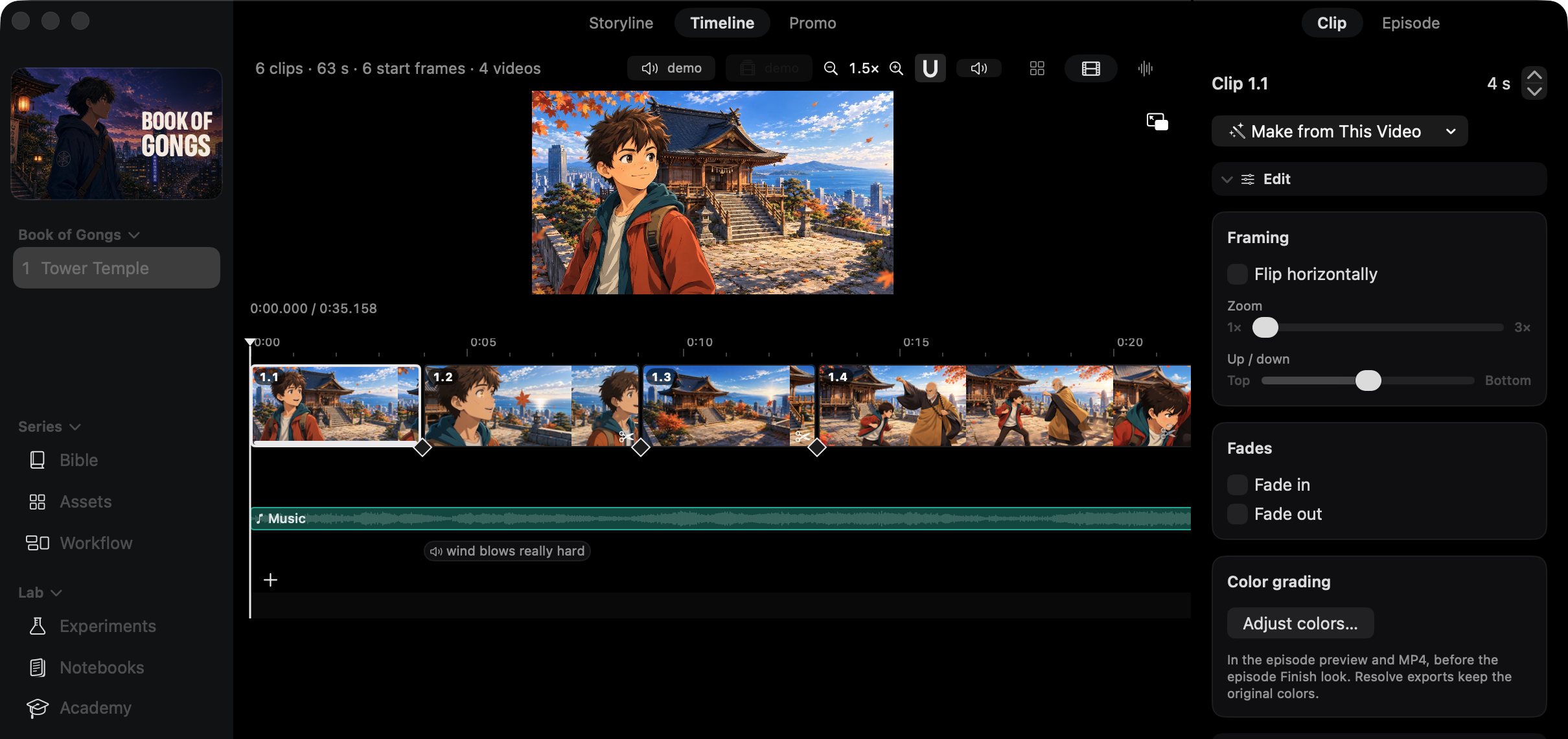
Today an episode means a chatbot for the script, one site for images, another for video, a third for voices, then an editor to stitch the downloads. In Chomper it's one project, and every step hands its work to the next.
The look, the cast and the places, with a voice each.
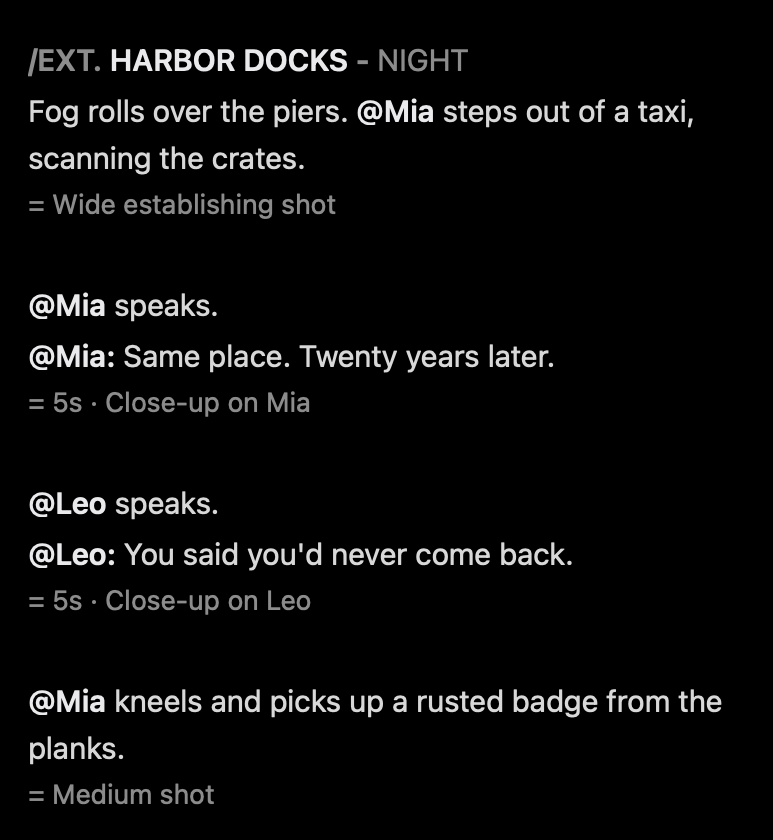
Plain text. Each line becomes a clip, timed from its dialogue.
Start frames, then video. Every attempt is kept as a take.
Voice lines in each character's voice, effects, a score.
Trim, cut by words, caption, title, export.
Thumbnails, titles, timestamps and a post per platform.
You describe what happens. Chomper adds who is in the shot, where it is and how it should look and sound, from the series Bible, and lines the clips up on the timeline.
Each attempt at a frame, a clip, a voice line or a sound stays next to its clip. Pick the best, change your mind later.
Results download the moment they're made. No cloud account, no upload to us.
Claude Code or Codex can write stories, plan clips and edit. Nothing is spent without your OK.
The full list, for when you want to check a detail.
Run a YouTube channel, a Shorts feed or a Skool community on recurring characters, and spend your evenings on the story instead of re-prompting faces.
Its own library, cast and settings. Brand characters stay on model, costs are known before work starts, and editors get an FCPXML they can open.
Pricing
You pay us for Chomper, and your own accounts for AI, at their prices, with nothing added. 14-day refund, no questions asked.
Chomper doesn't include AI credits. Images, video, voices and music run on the accounts you connect: API keys such as Kie.ai or fal, or your ChatGPT, Grok or Claude plan. You pay those providers directly. What you make must follow the Acceptable Use Policy: no adult or sexual content.
For trying a series out
$9per month
Pay once, keep it
$67$299
99 left at $67, then $89. Black Friday price, until 30 November.
* Lifetime is the Mac app. Cloud services we may add later, like sync or cloud rendering, aren't included and will be sold separately.
Buy lifetime for $67Monthly includes every add-on. Black Friday Lifetime licenses come with every add-on, for good.
Not sure yet? Download Chomper and try every screen in demo mode, free, with placeholder results. Only real generations need a license.
Payments, tax and receipts are handled by Creem, our merchant of record. Prices include VAT. Your license key arrives by email.
Not answered here? Write to us.
A license and at least one AI account. A ChatGPT or Grok plan is enough for images, and Grok also makes video. For a whole episode with voices and music, add an API account; Kie.ai covers the most models with one key.
Not right now. You can download Chomper and try every screen in demo mode, free, with placeholder results. Every purchase has a 14-day refund, no questions asked.
Any Mac with macOS 26 or later.
Editing, playback and export do. Generating needs the internet, since the models run at your providers. A licensed Mac checks in about once a day while Chomper is open and keeps working offline for up to 30 days.
Yes. Chomper's MCP server lets Claude Code or Codex work in your library: write stories, plan clips, edit episodes. Spending always asks first.
You choose the model. When more than one of your connected providers sells it, Chomper compares their prices for the same settings and length, and runs the job on the cheapest. It's on from the start; you can pin a provider for any model instead.
Whatever your provider charges. Chomper shows the price next to every Generate button, in credits and dollars, before anything is spent, and adds nothing on top.
No credits are spent: those jobs use your plan's own allowance, through the Codex and Grok Build apps on your Mac. When the allowance runs out, it's out until your plan renews. Grok video isn't available on accounts with zero data retention.
Yes. Within 14 days of purchase, no questions asked. See the refund policy.
Two at a time, on every plan: Monthly, Lifetime, and Chomper in the Kind of Human Bundle.
Yes. In Settings → License, choose Deactivate This Mac, then enter your key on the new one.
Lifetime is the Chomper app for your Mac, with every future version of it. It doesn't include cloud services we may add later, such as syncing your library, rendering in the cloud or using Chomper in a browser: those will be separate, with their own price. Add-ons are bought separately unless your deal includes them, and AI generations are always paid to your own providers.
It stays on your Mac. Prompts and reference images go only to the provider that runs each generation. Our license server sees your key and an anonymous ID for your Mac, nothing else.
Adult or sexual content of any kind, deepfakes of real people without their permission, and anything illegal, hateful or harmful. Chomper has no adult mode, and every generation runs under the AI provider's own content filters. The full rules are in the Acceptable Use Policy.

Try every screen in demo mode before you buy. Every purchase has a 14-day refund, no questions asked.